JPG to PNG Converter
Turn lossy JPG photos into lossless PNG files with an alpha channel — ready for editing, layering and design work without recompression artefacts.
Why convert JPG to PNG?
JPG is a lossy format: every time you open, edit and re-save a JPG, a little more detail is thrown away. PNG is lossless, so once your image is a PNG you can edit and re-save it as many times as you like without any further quality loss.
PNG also supports an alpha channel. A JPG has no way to store transparency, so converting to PNG is the first step if you plan to cut out a background or place the image over a coloured layout.
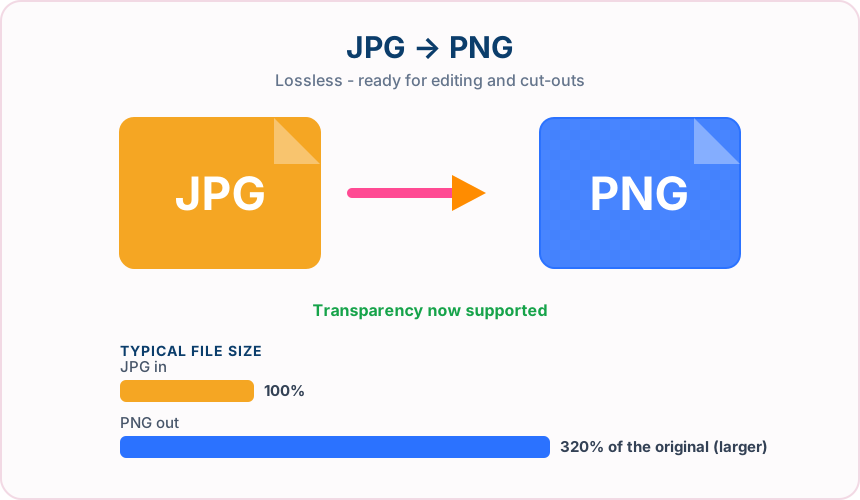
What you get converting JPG to PNG
PNG stores pixels exactly, so repeated edits and saves never soften detail the way repeated JPG saves do.
PNG carries an alpha channel, so you can later remove the background and keep clean edges.
Screenshots, charts and logos saved as JPG pick up halo artefacts around edges. PNG keeps them crisp.
Design tools prefer lossless sources. A PNG master gives you a clean base for every later export.
What to expect: PNG files are usually noticeably larger than the JPG you started with — often two to five times the size for a photograph. That is the cost of lossless storage, not a fault in the conversion.
When to convert JPG to PNG
- Preparing a photo for background removal or cut-out work
- Rescuing a screenshot that was accidentally saved as JPG
- Supplying a lossless master to a designer or printer
- Placing an image over a coloured or patterned web layout
JPG vs PNG
| JPG | PNG | |
|---|---|---|
| Compression | Lossy | Lossless |
| Transparency | No | Yes |
| Best for | the universal photo format, supported by essentially every device, browser and printer | a lossless format with full transparency support, ideal for graphics, logos and screenshots |
JPG to PNG — frequently asked questions
Related tools
Who benefits from converting JPG to PNG?
These are common examples; the right workflow depends on the file, required output, and your organization’s handling rules.
Designers
Create a lossless working file that can support transparent areas and crisp edges. A typical use is preparing a photo for background removal or cut-out work.
Documentation teams
Keep screenshots, diagrams, and interface details clear for guides and reports. A typical use is rescuing a screenshot that was accidentally saved as JPG.
Brand teams
Prepare logos and graphics for layouts that may require transparency. A typical use is supplying a lossless master to a designer or printer.
Image editors
Use a stable intermediate file for cutouts, overlays, and repeated edits. A typical use is placing an image over a coloured or patterned web layout.
All-in-One PDF & Image Tools
Access every QuickConvertPDF feature in one place. Convert, edit, and optimize your files fast, free, and securely.