GIF to PNG Converter
Convert GIF images to lossless PNG for editing, design tools and crisp graphics without new compression artefacts.
Turn a GIF into an editing-friendly PNG
PNG stores every pixel of the GIF exactly, so logos, screenshots and pixel art keep sharp edges. It is also the preferred format for most design and presentation tools.
PNG is a still format, so the first frame of an animated GIF is used. To keep the animation in a modern format, use GIF to WebP instead.
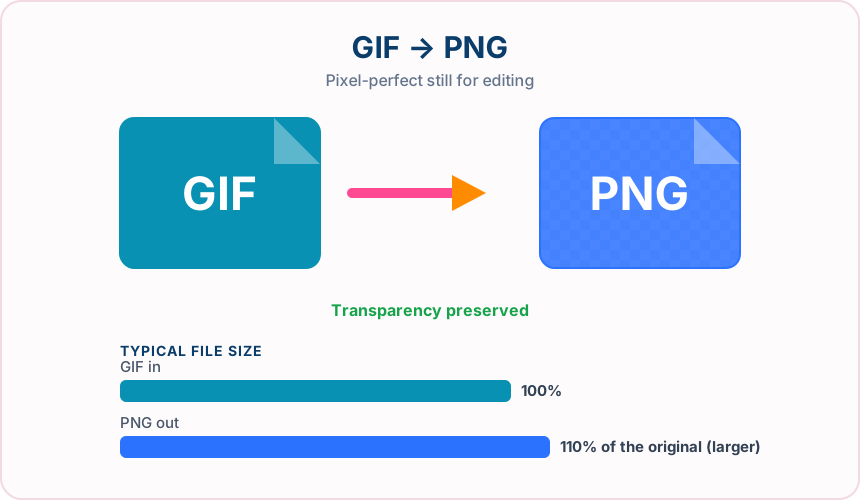
What you get converting GIF to PNG
Every GIF pixel is stored losslessly in the PNG.
Transparent GIF areas stay transparent in the PNG.
PNG supports millions of colours and full alpha, so later edits are not limited to 256 colours.
PNG imports cleanly into editors, slide decks and documents.
What to expect: The PNG shows exactly the same pixels as the first GIF frame. File size is often similar for simple graphics and may be slightly larger for complex ones.
When to convert GIF to PNG
- Editing a GIF logo or icon in a design tool
- Extracting a crisp still from an animated GIF
- Moving pixel art into a PNG-based workflow
GIF vs PNG
| GIF | PNG | |
|---|---|---|
| Colours | Up to 256 per frame | Millions, plus alpha |
| Compression | Lossless after palette reduction | Lossless |
| Transparency | One fully transparent colour | Full alpha channel |
| Animation | Supported | Not supported (first frame used) |
| Best for | Simple graphics and short animations | Editing, screenshots and design assets |
GIF to PNG — frequently asked questions
Related tools
Who benefits from converting GIF to PNG?
These are common examples; the right workflow depends on the file, required output, and your organization’s handling rules.
Designers
Create a lossless working file that can support transparent areas and crisp edges. A typical use is editing a GIF logo or icon in a design tool.
Documentation teams
Keep screenshots, diagrams, and interface details clear for guides and reports. A typical use is extracting a crisp still from an animated GIF.
Brand teams
Prepare logos and graphics for layouts that may require transparency. A typical use is moving pixel art into a PNG-based workflow.
Image editors
Use a stable intermediate file for cutouts, overlays, and repeated edits. A typical use is pNG imports cleanly into editors, slide decks and documents..
All-in-One PDF & Image Tools
Access every QuickConvertPDF feature in one place. Convert, edit, and optimize your files fast, free, and securely.