WebP to JPG Converter
Convert WebP images into universally compatible JPG files that open in any app, upload to any form and print anywhere.
Why convert WebP to JPG?
WebP is excellent on the web but awkward off it. Print services, older desktop software, some editing tools and plenty of upload forms still do not accept it. Converting to JPG makes the image universally usable.
This is the most common reason people need this tool: an image saved from a website arrives as WebP and then will not open, upload or print where it is needed.
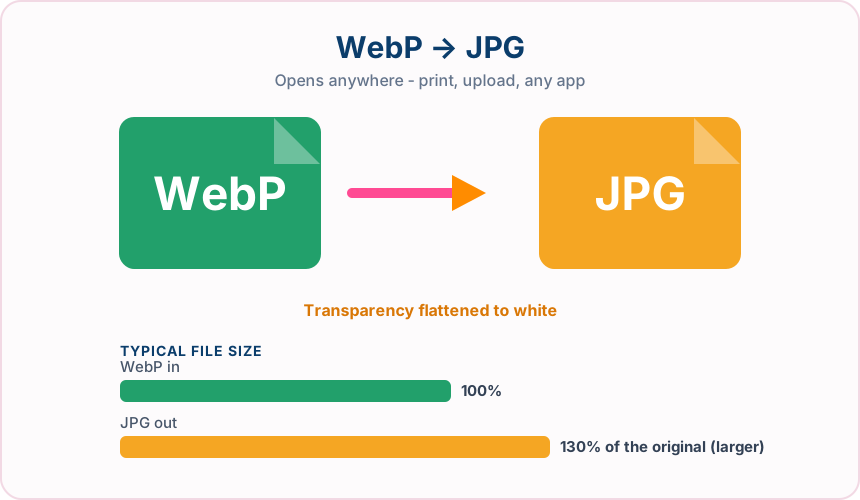
What you get converting WebP to JPG
Every operating system, phone, printer and photo app reads JPG.
Portals and services that reject WebP will take a JPG without complaint.
Print shops and photo labs expect JPG, not WebP.
The converter uses a fixed JPG quality setting.
What to expect: The JPG may be somewhat larger than the WebP, since JPG compresses less efficiently. That is the trade you make for universal compatibility.
When to convert WebP to JPG
- An image saved from a website will not open in your photo editor
- An upload form or job portal rejects the WebP file
- Sending a picture to a print shop or photo lab
- Sharing with someone on older software that cannot read WebP
WebP vs JPG
| WebP | JPG | |
|---|---|---|
| Compression | Lossy | Lossy |
| Transparency | Yes | No |
| Best for | a modern Google format that keeps transparency while cutting file size well below JPG and PNG | the universal photo format, supported by essentially every device, browser and printer |
WebP to JPG — frequently asked questions
Related tools
Who benefits from converting WebP to JPG?
These are common examples; the right workflow depends on the file, required output, and your organization’s handling rules.
Photographers
Create a broadly compatible copy for clients, print services, and older applications. A typical use is an image saved from a website will not open in your photo editor.
Online sellers
Prepare product photos for marketplaces and upload forms that expect JPG. A typical use is an upload form or job portal rejects the WebP file.
Office users
Make an image easier to insert into documents, presentations, and email. A typical use is sending a picture to a print shop or photo lab.
Print teams
Receive a familiar photographic format supported by common production software. A typical use is sharing with someone on older software that cannot read WebP.
All-in-One PDF & Image Tools
Access every QuickConvertPDF feature in one place. Convert, edit, and optimize your files fast, free, and securely.