PNG to AVIF Converter
Compress PNG graphics into AVIF for an efficient modern file that can carry transparency, wide colour and HDR.
Why convert PNG to AVIF?
If your PNG is large and destined for the web, AVIF is usually the most efficient home for it. It keeps the alpha channel intact while compressing considerably harder than either PNG or WebP.
AVIF also carries colour information PNG handles less efficiently — wide gamut and high dynamic range — which matters for rich illustration and photographic artwork with transparency.
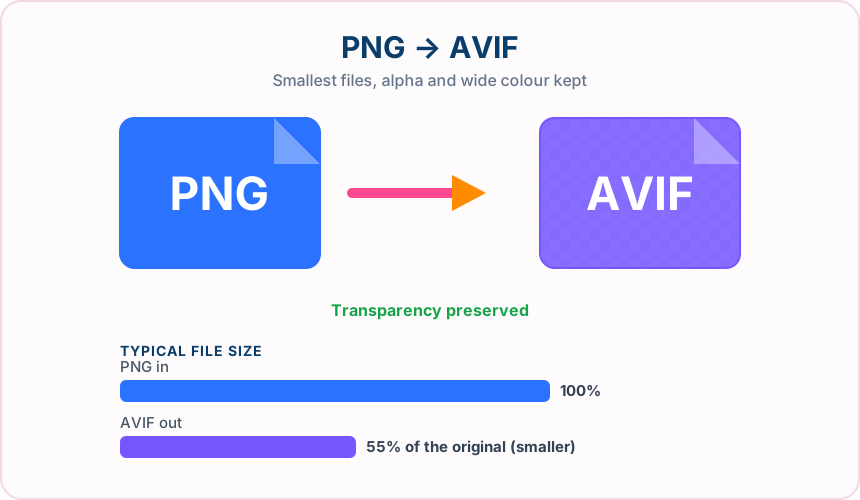
What you get converting PNG to AVIF
AVIF generally beats both PNG and WebP for size while keeping transparency.
Soft shadows and feathered edges survive with no white fringing.
Richer colour than PNG's common 8-bit output, useful for vivid artwork.
Gradients stay smooth where other formats start to band.
What to expect: Expect a considerably smaller file than the PNG — often dramatically so for photographic content. Encoding takes a little longer than PNG or WebP because AVIF does more work.
When to convert PNG to AVIF
- Serving large transparent artwork on a performance-critical page
- Compressing illustration and artwork libraries for the web
- Modern picture elements with a PNG or WebP fallback
- Reducing storage costs for a big archive of graphics
PNG vs AVIF
| PNG | AVIF | |
|---|---|---|
| Compression | Lossless | Lossy |
| Transparency | Yes | Yes |
| Best for | a lossless format with full transparency support, ideal for graphics, logos and screenshots | the newest of the mainstream formats, offering the smallest files plus transparency and wide colour |
PNG to AVIF — frequently asked questions
Related tools
Who benefits from converting PNG to AVIF?
These are common examples; the right workflow depends on the file, required output, and your organization’s handling rules.
Front-end developers
Test highly compressed modern images in a browser-focused delivery workflow. A typical use is serving large transparent artwork on a performance-critical page.
Performance teams
Compare AVIF size and visual quality with JPG or WebP alternatives. A typical use is compressing illustration and artwork libraries for the web.
Digital publishers
Prepare efficient photographs for audiences using current browsers. A typical use is modern picture elements with a PNG or WebP fallback.
Image archivists
Create a space-conscious derivative while keeping the original master file. A typical use is reducing storage costs for a big archive of graphics.
All-in-One PDF & Image Tools
Access every QuickConvertPDF feature in one place. Convert, edit, and optimize your files fast, free, and securely.