PNG to JPG Converter
Flatten heavy PNG files into compact JPG photos — typically a fraction of the size, and accepted by every device, printer and upload form in existence.
Why convert PNG to JPG?
PNG stores every pixel losslessly, which makes it wonderful for graphics and painful for photographs. A photo saved as PNG can easily be five times larger than the same image as a JPG with no visible benefit.
JPG is also the format that upload forms, print services, email clients and older software expect. If something is rejecting your PNG or a page is loading slowly because of it, converting to JPG is the fix.
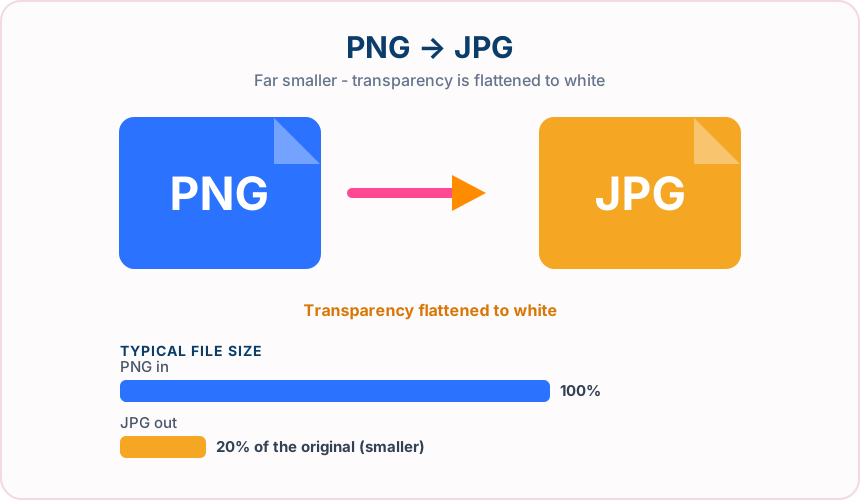
What you get converting PNG to JPG
Photographs commonly drop to a fifth of their PNG size or less.
Job portals, print shops, forums and legacy software all reliably take JPG.
Less data to send means quicker uploads on mobile and faster page rendering.
The converter uses a fixed, balanced JPG quality setting.
What to expect: For a photograph, expect a large reduction — often to a fifth of the PNG size or less. For flat graphics, logos and text-heavy screenshots the saving is smaller and edges may soften slightly.
When to convert PNG to JPG
- Meeting an upload size limit on a form or job portal
- Sending photos by email without hitting attachment limits
- Preparing images for a print service that requires JPG
- Shrinking screenshots-turned-photos that ballooned as PNG
PNG vs JPG
| PNG | JPG | |
|---|---|---|
| Compression | Lossless | Lossy |
| Transparency | Yes | No |
| Best for | a lossless format with full transparency support, ideal for graphics, logos and screenshots | the universal photo format, supported by essentially every device, browser and printer |
PNG to JPG — frequently asked questions
Related tools
Who benefits from converting PNG to JPG?
These are common examples; the right workflow depends on the file, required output, and your organization’s handling rules.
Photographers
Create a broadly compatible copy for clients, print services, and older applications. A typical use is meeting an upload size limit on a form or job portal.
Online sellers
Prepare product photos for marketplaces and upload forms that expect JPG. A typical use is sending photos by email without hitting attachment limits.
Office users
Make an image easier to insert into documents, presentations, and email. A typical use is preparing images for a print service that requires JPG.
Print teams
Receive a familiar photographic format supported by common production software. A typical use is shrinking screenshots-turned-photos that ballooned as PNG.
All-in-One PDF & Image Tools
Access every QuickConvertPDF feature in one place. Convert, edit, and optimize your files fast, free, and securely.