AVIF to WebP Converter
Convert AVIF to WebP for broader compatibility while keeping transparency and a small file size — a practical middle ground.
Why convert AVIF to WebP?
WebP is the sensible fallback when AVIF is too new for your audience or tooling. It has been supported for considerably longer, yet still compresses far better than JPG or PNG and keeps transparency.
This conversion is most often used to build a fallback: serve AVIF to browsers that support it, and WebP to everything else, without dropping all the way back to JPG.
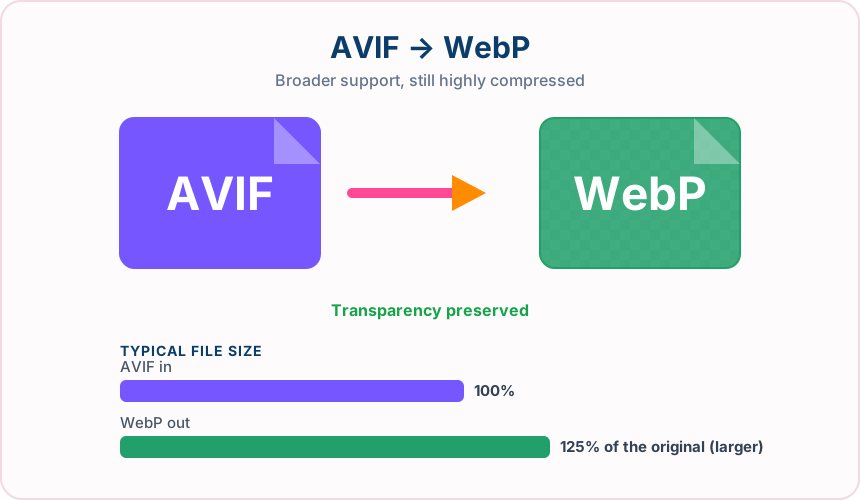
What you get converting AVIF to WebP
WebP has been supported for longer, reaching more older software.
You keep most of the size advantage without the compatibility risk.
The alpha channel converts cleanly between the two formats.
Pairs naturally with AVIF in a picture element.
What to expect: The WebP will usually be somewhat larger than the AVIF, since AVIF compresses harder — but still far smaller than the equivalent JPG or PNG.
When to convert AVIF to WebP
- Building a WebP fallback for an AVIF-first site
- Supporting older browsers and tooling that predate AVIF
- Using an image in software that reads WebP but not AVIF
- Standardising a mixed library on one modern format
AVIF vs WebP
| AVIF | WebP | |
|---|---|---|
| Compression | Lossy | Lossy |
| Transparency | Yes | Yes |
| Best for | the newest of the mainstream formats, offering the smallest files plus transparency and wide colour | a modern Google format that keeps transparency while cutting file size well below JPG and PNG |
AVIF to WebP — frequently asked questions
Related tools
Who benefits from converting AVIF to WebP?
These are common examples; the right workflow depends on the file, required output, and your organization’s handling rules.
Web developers
Prepare modern image assets that can reduce page weight in supported browsers. A typical use is building a WebP fallback for an AVIF-first site.
Online stores
Deliver product imagery efficiently while retaining support for transparency. A typical use is supporting older browsers and tooling that predate AVIF.
Digital publishers
Create lighter article and landing-page images for mobile readers. A typical use is using an image in software that reads WebP but not AVIF.
Performance teams
Compare a WebP result with the source before choosing the best production asset. A typical use is standardising a mixed library on one modern format.
All-in-One PDF & Image Tools
Access every QuickConvertPDF feature in one place. Convert, edit, and optimize your files fast, free, and securely.