HEIC to GIF Converter
Convert iPhone HEIC photos to GIF for legacy systems, forums and tools that cannot open HEIC images.
Share iPhone photos where HEIC is not accepted
HEIC is the default photo format on many iPhones, but plenty of older systems, forums and email tools cannot display it. GIF opens almost everywhere.
GIF is limited to 256 colours, so detailed camera photos can show banding. Choose HEIC to JPG for the best photo quality, and HEIC to GIF when a destination requires GIF.
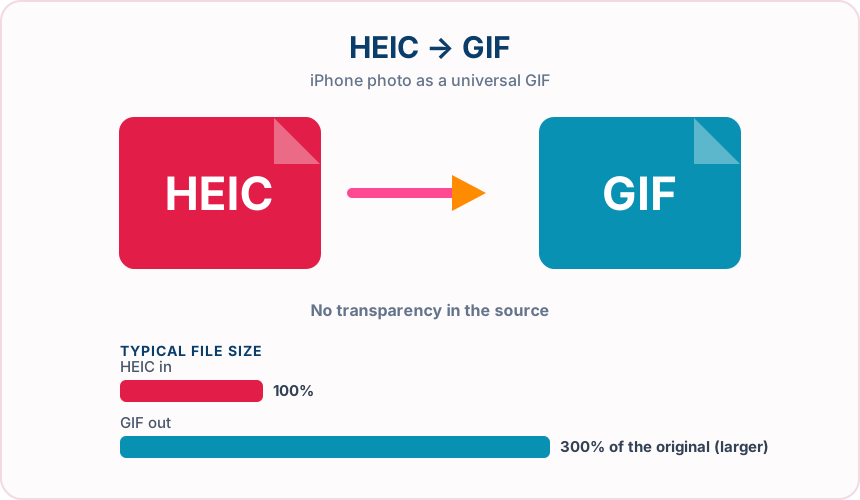
What you get converting HEIC to GIF
GIF works in practically every browser, email client and viewer.
The camera rotation stored in the photo is applied before conversion.
Location and camera metadata are not copied into the GIF.
Both .heic and .heif files can be converted.
What to expect: Photographs lose colour depth when reduced to 256 colours, and the GIF is usually much larger than the HEIC. Simple images such as screenshots convert better.
When to convert HEIC to GIF
- Uploading an iPhone photo to a GIF-only forum or profile
- Sending a simple iPhone image through an older email system
- Making a still frame for a GIF animation editor
HEIC vs GIF
| HEIC | GIF | |
|---|---|---|
| Colours | Millions, including 10-bit | Up to 256 per frame |
| Compression | Lossy (HEVC-based) | Lossless after palette reduction |
| Typical use | iPhone and iPad photos | Simple graphics and animations |
| Typical file size | Small | Often much larger |
| Compatibility | Apple devices; limited elsewhere | Nearly universal |
HEIC to GIF — frequently asked questions
Related tools
Who benefits from converting HEIC to GIF?
These are common examples; the right workflow depends on the file, required output, and your organization’s handling rules.
Social media users
Share animations and reactions in apps and chats that only accept GIF. A typical use is uploading an iPhone photo to a GIF-only forum or profile.
Community moderators
Upload avatars, badges, and banners to forums that expect GIF files. A typical use is sending a simple iPhone image through an older email system.
Email marketers
Add simple graphics and animations that display in older email clients. A typical use is making a still frame for a GIF animation editor.
Legacy system users
Supply images to older software and portals that predate newer formats. A typical use is both .heic and .heif files can be converted..
All-in-One PDF & Image Tools
Access every QuickConvertPDF feature in one place. Convert, edit, and optimize your files fast, free, and securely.