Top Reasons to Choose Our Background Remover
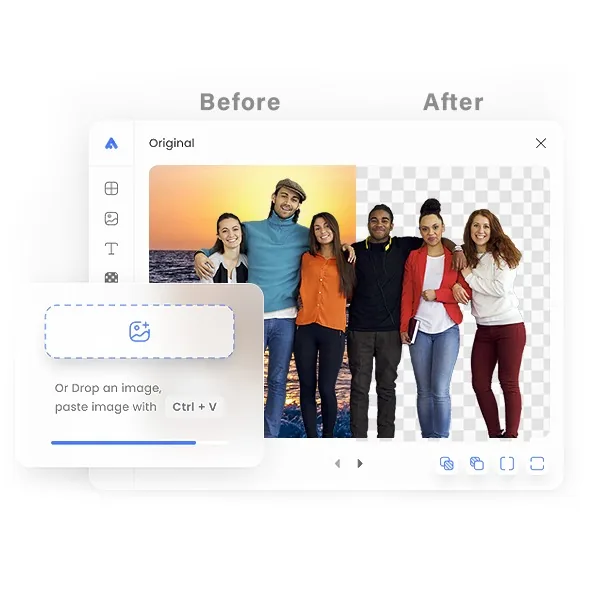
- Automatic processing: The model identifies the main subject and returns a transparent PNG. Results vary with image complexity.
- Detailed subjects: Review fine hair, translucent objects, and low-contrast edges after processing.
- Transparent PNG export: Ideal for online stores, social media, and graphic design.
- Ready for editing: Add a new background later in an image editor that supports transparent PNG files.
- One image at a time: Upload a JPG, PNG, or WebP image up to 25 MB.
- Transparent PNG output: The result keeps the source pixel dimensions and is deleted from temporary processing storage when complete.
Frequently Asked Questions
Our tool finds the main subject and cleanly cuts it from the scene using edge detection. Hair, product edges, and logos stay sharp. You get a clear, pro-ready result without manual masking. Great for stores, ads, and social posts.
Upload common image formats like JPG, PNG, or WebP. The tool reads these fast, keeps detail, and outputs a transparent PNG you can drop onto any color or design. No special software or advanced edits are required.
Yes. Use it free with no sign-up. Upload one supported image, process it, and download the transparent PNG result.
On the production site, HTTPS/TLS protects the image in transit. It is processed to remove the background, and conversion data is deleted when processing completes.
You’ll get a transparent PNG with clean edges that fits perfectly into designs, product pages, and social layouts. Keep it transparent or place it on a solid color, gradient, or scene, no halos or messy outlines.
Use a sharp, well-lit image with a clear subject and visible contrast from the background. Avoid heavy blur, severe compression, or cropped subject edges because those details make accurate separation more difficult.
Yes, after you download the transparent PNG, place it on white for eCommerce, brand colors for ads, or any custom scene for social. You keep full control of the look while the cut-out stays sharp and consistent across images.
Explore more tools
Access every QuickConvertPDF feature in one place. Convert, edit, and optimize your files fast, free, and securely.
Who uses an image background remover?
These are common examples; the right workflow depends on the file, required output, and your organization’s handling rules.
Online sellers
Prepare cleaner product cutouts for catalog pages, marketplaces, and promotional layouts.
Designers
Create a transparent starting point for posters, thumbnails, presentations, and composites.
Marketing teams
Place the same subject across campaign colors and channel-specific artwork.
Creators and photographers
Remove a distracting scene before building profile images or social graphics.
All-in-One PDF & Image Tools
Access every QuickConvertPDF feature in one place. Convert, edit, and optimize your files fast, free, and securely.