GIF to SVG Converter
Trace a GIF image into editable SVG path geometry instead of embedding the original pixels.
Original and converted preview
Original
Converted SVG
How to Convert GIF to SVG
- Upload your GIF file. Select or drop a supported GIF image and inspect the original preview.
- Adjust tracing controls. Choose Colour or Black-and-white tracing mode, then fine-tune detail, smoothing, noise removal, and path simplification.
- Click Convert to SVG. Review the vector preview, compare the output path quality, and download your clean SVG file.
How real vector tracing works:
This tool performs true vector tracing. The converter analyzes groups of visible pixels, traces their outline boundaries, and exports those outlines as genuine SVG path geometry. It never simply embeds the original raster bitmap inside an XML wrapper tag. This makes the resulting SVG file infinitely scalable and fully editable in design software, though vectorization cannot magically restore lost original illustrator layers, embedded fonts, or perfectly geometric CAD shapes.
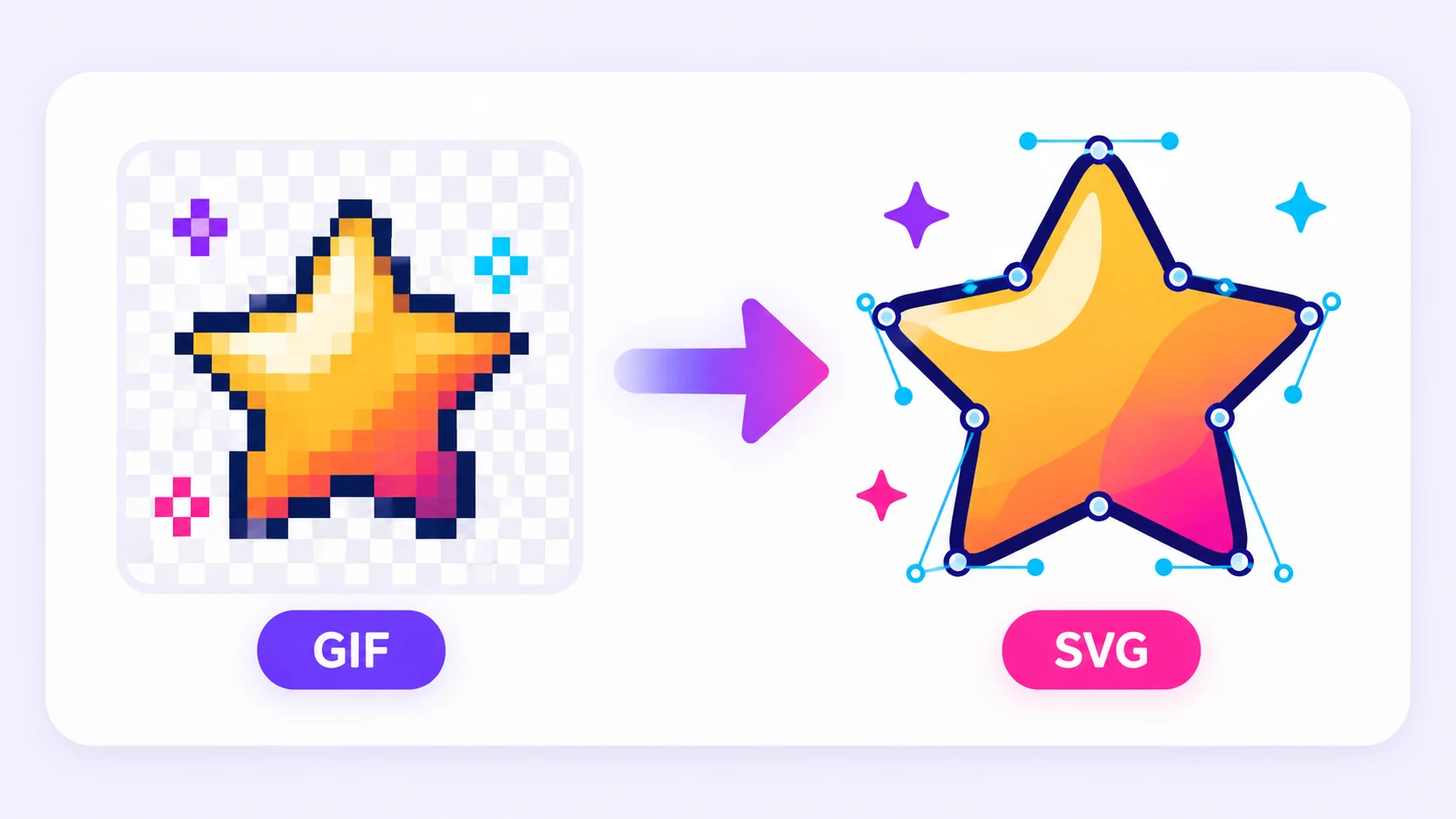
Tracing GIF Graphics into Vector Paths
Many legacy logos, icons, badges, and sketches exist only as low-resolution GIF bitmaps. Vector tracing analyzes the color regions of the GIF's first frame and converts them into scalable SVG path nodes that render sharply at any scale and can be modified in Adobe Illustrator, Figma, or Inkscape. Because most GIF assets rely on a limited, flat color palette, they make ideal candidates for color vector tracing.
Handling GIF animations and dithered pixels:
GIF animation sequences are not carried into the vector export; the tracing engine processes only the first static frame. For dithered GIF images—where gradients were simulated using dot patterns the tracing process can create thousands of tiny, unwanted path artifacts. To fix this, increase noise removal and reduce the active color count in your settings. Always inspect the generated SVG paths before replacing production brand assets, and retain your source GIF file for safety.
Settings That Affect Vector Quality
- Colour Count: Controls the maximum palette groups used during conversion. Higher color counts reproduce shaded artwork more accurately but generate complex multi-layered vector paths.
- Detail vs. Simplification: Increasing detail retains intricate boundary points, while higher path simplification reduces node counts to make hand-editing simpler.
- Smoothing & Noise Removal: Smoothing softens jagged pixel edges, while noise removal ignores stray pixels that would otherwise turn into tiny, useless path fragments.
- Tracing Modes: Use Black-and-white for signatures, stamps, line art, and ink drawings. Use Colour mode for flat brand logos, UI icons, and graphic illustrations.
- Simple Background Removal: Automatically detects and removes background colors based on the top-left corner pixel. This works great for solid backdrops, but is not intended for complex photographic cutouts or detailed scenery.
When Is GIF to SVG Conversion Useful?
Design Handoff
Convert bitmap GIF assets into scalable SVG paths ready for web browsers, UI mockups, slide decks, or design software like Figma and Adobe Illustrator.
Digital Publishing & Web Use
Generate lightweight, high-DPI vector assets for website headers, documentation, product listings, app interfaces, and downloadable PDF branding.
Software Compatibility
Make legacy raster graphics immediately accessible to team members, clients, or production vendors who require vector format input.
Why SVG matters:
SVG vectors are essential when traced logos, icons, or line drawings need to scale endlessly across any display resolution without pixelation, while keeping path geometry editable.
Vector Quality, Privacy, and Honest Limitations
Tracing Limits & Asset Safety
Always retain your original source file until you inspect the converted SVG. While vector tracing reproduces outlines accurately, it cannot invent missing pixel detail or guarantee 100% identical rendering in legacy desktop viewers. To ensure platform stability, processing caps apply to file upload size, pixel resolution, maximum XML nodes, and total path complexity.
Security & Sanitization
Uploads are protected in transit via 256-bit HTTPS encryption. Files are processed strictly to generate your requested conversion and are purged from temporary memory. For security, output SVG files undergo automatic sanitization: embedded scripts, event attributes, external URI references, foreign objects, XML entities, and unsafe CSS styles are stripped out to deliver a safe, web-ready vector asset.
Related tools
GIF to SVG Converter — Frequently Asked Questions
- Colour GIF to SVG mode: Traces multi-tone GIF graphics into layered color SVG vector paths.
- Black and white GIF to SVG mode: Converts GIF line art and signatures into clean monochrome SVG vector lines.
Who benefits from converting GIF to SVG?
These are common examples; the right workflow depends on the file, required output, and your organization’s handling rules.
Designers
Prepare artwork for editing, review, handoff, or placement in another layout.
Web teams
Create browser-ready assets while controlling dimensions, transparency, and file weight.
Marketing teams
Adapt logos, icons, campaign graphics, and approved visual material for another channel.
Everyday users
Open or share an image in a format better suited to the receiving application.
All-in-One PDF & Image Tools
Access every QuickConvertPDF feature in one place. Convert, edit, and optimize your files fast, free, and securely.