AVIF to PNG Converter
Convert AVIF into lossless PNG with transparency preserved — the safe choice for editing and for software that cannot read AVIF.
Why convert AVIF to PNG?
When an AVIF has a transparent background, PNG is the compatible lossless destination. Every editor, office suite and operating system handles PNG transparency correctly, which is not yet true of AVIF.
PNG is also lossless, so once converted you can edit and re-save the image freely without accumulating any further compression damage.
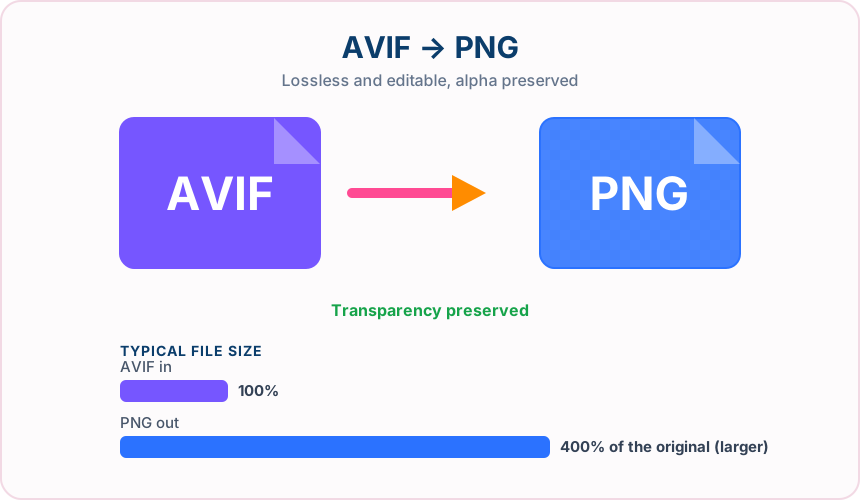
What you get converting AVIF to PNG
The alpha channel converts exactly — no white box, no fringing.
Edit and re-save as often as you like with no additional quality loss.
Design tools, office software and OS previews all read PNG reliably.
PNG is what designers, developers and print teams expect to receive.
What to expect: The PNG will usually be substantially larger than the AVIF, since AVIF is highly compressed and PNG is lossless. That is expected behaviour, not a conversion problem.
When to convert AVIF to PNG
- Editing an AVIF in software that cannot open it
- Keeping a transparent logo usable in a document or slide deck
- Producing a lossless master before further editing
- Handing a transparent asset to a colleague or client
AVIF vs PNG
| AVIF | PNG | |
|---|---|---|
| Compression | Lossy | Lossless |
| Transparency | Yes | Yes |
| Best for | the newest of the mainstream formats, offering the smallest files plus transparency and wide colour | a lossless format with full transparency support, ideal for graphics, logos and screenshots |
AVIF to PNG — frequently asked questions
Related tools
Who benefits from converting AVIF to PNG?
These are common examples; the right workflow depends on the file, required output, and your organization’s handling rules.
Designers
Create a lossless working file that can support transparent areas and crisp edges. A typical use is editing an AVIF in software that cannot open it.
Documentation teams
Keep screenshots, diagrams, and interface details clear for guides and reports. A typical use is keeping a transparent logo usable in a document or slide deck.
Brand teams
Prepare logos and graphics for layouts that may require transparency. A typical use is producing a lossless master before further editing.
Image editors
Use a stable intermediate file for cutouts, overlays, and repeated edits. A typical use is handing a transparent asset to a colleague or client.
All-in-One PDF & Image Tools
Access every QuickConvertPDF feature in one place. Convert, edit, and optimize your files fast, free, and securely.