AVIF to GIF Converter
Convert AVIF images to GIF for older apps, forums, email clients and upload forms that cannot open AVIF.
Open modern AVIF images in older software
AVIF is efficient on current browsers, but many older image viewers, message boards and email clients still cannot decode it. GIF is one of the few formats that works almost everywhere.
GIF is limited to 256 colours, so it suits AVIF logos, icons and simple graphics better than detailed photographs. For photos, AVIF to JPG or PNG usually keeps more colour detail.
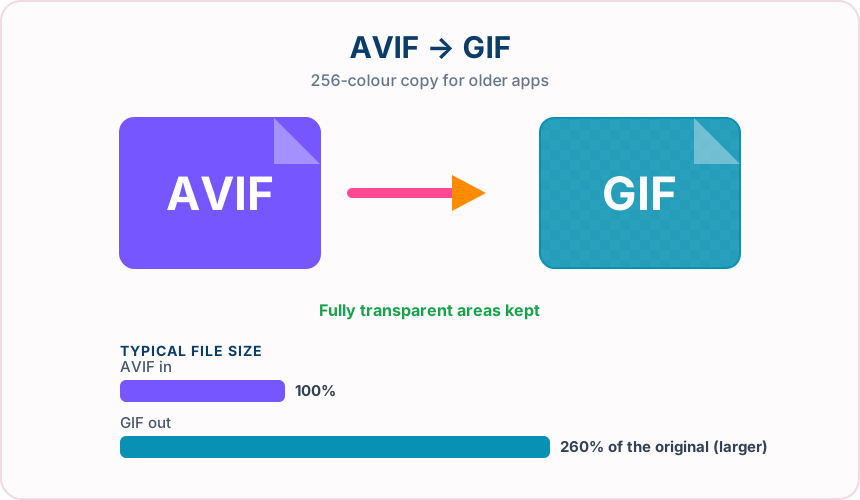
What you get converting AVIF to GIF
GIF opens in practically every browser, email client and image viewer.
Fully transparent AVIF pixels stay transparent in the GIF.
The AVIF is decoded and written straight to GIF.
Convert up to 30 AVIF images and download them together as a ZIP.
What to expect: The GIF is usually much larger than the AVIF, and colours are reduced to 256. Flat graphics convert well; photographs can show banding.
When to convert AVIF to GIF
- Posting an AVIF graphic on a forum that only accepts GIF
- Adding an AVIF icon to an older HTML email template
- Opening AVIF artwork in legacy desktop software
AVIF vs GIF
| AVIF | GIF | |
|---|---|---|
| Colours | Millions, plus alpha and wide colour | Up to 256 per frame |
| Compression | Lossy or lossless, highly efficient | Lossless after palette reduction |
| Transparency | Full alpha channel | One fully transparent colour |
| Typical file size | Very small | Often much larger |
| Compatibility | Current browsers; limited in older software | Nearly universal |
AVIF to GIF — frequently asked questions
Related tools
Who benefits from converting AVIF to GIF?
These are common examples; the right workflow depends on the file, required output, and your organization’s handling rules.
Social media users
Share animations and reactions in apps and chats that only accept GIF. A typical use is posting an AVIF graphic on a forum that only accepts GIF.
Community moderators
Upload avatars, badges, and banners to forums that expect GIF files. A typical use is adding an AVIF icon to an older HTML email template.
Email marketers
Add simple graphics and animations that display in older email clients. A typical use is opening AVIF artwork in legacy desktop software.
Legacy system users
Supply images to older software and portals that predate newer formats. A typical use is convert up to 30 AVIF images and download them together as a ZIP..
All-in-One PDF & Image Tools
Access every QuickConvertPDF feature in one place. Convert, edit, and optimize your files fast, free, and securely.