Top Reasons to Choose Our Background Remover
- Clean, fast, and free: Get perfect subject edges in seconds, safe, simple, and free to use.
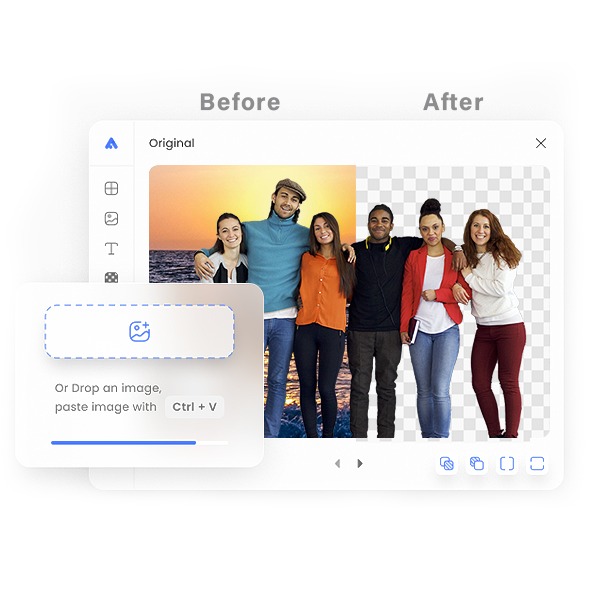
- AI precision cutting: Smart AI keeps hair, faces, and products clear and smooth.
- Transparent PNG export: Ideal for online stores, social media, and graphic design.
- Easy background change: Swap with solid colors or keep transparent for editing.
- Batch upload ready: Drag and drop many images for quick results.
- High quality & secure: Keeps HD size with smart compression and auto-delete for privacy.
Frequently Asked Questions
Our tool finds the main subject and cleanly cuts it from the scene using edge detection. Hair, product edges, and logos stay sharp. You get a clear, pro-ready result without manual masking. Great for stores, ads, and social posts.
Upload common image formats like JPG, PNG, or WebP. The tool reads these fast, keeps detail, and outputs a transparent PNG you can drop onto any color or design. No special software or advanced edits are required.
Yes, use it free with no sign-up. Just upload, process, and download. It’s built for quick tasks, last-minute posts, and batch content days, so you can focus on your shop, your campaign, or your portfolio instead of setup.
Your images are transferred over encrypted connections and processed only to remove the background. Temporary files are removed after the task. We don’t view your content, so you can work with client shots or product photos confidently.
You’ll get a transparent PNG with clean edges that fits perfectly into designs, product pages, and social layouts. Keep it transparent or place it on a solid color, gradient, or scene, no halos or messy outlines.
Yes, after you download the transparent PNG, place it on white for eCommerce, brand colors for ads, or any custom scene for social. You keep full control of the look while the cut-out stays sharp and consistent across images.
Yes, after you download the transparent PNG, place it on white for eCommerce, brand colors for ads, or any custom scene for social. You keep full control of the look while the cut-out stays sharp and consistent across images.
Explore more tools
Access every QuickConvertPDF feature in one place. Convert, edit, and optimize your files fast, free, and securely.